The ForeFront

The Full Loop: How ForeCaddie Runs Your Caddie Program, Start to Finish
September 2026
Is your caddie program stuck in the stone age?
Scattered systems, group texts, emails, caddies showing up to the caddy shack at 6am waiting for hours to get tossed a loop, and a pen-and-paper sign-up sheet taped up in the caddie shack. With packed event schedules, online tee sheets, and surmounting member expectations… guesswork is not an option anymore for caddie programs.
This is where ForeCaddie saves the day... and your caddie managers sanity! By streamlining every touchpoint, for members, golf staff, caddie managers, and caddies, you can operate your caddie program with confidence. And if your club already operates on ForeTees Golf Management, turning it on is a simple add-on that makes all the difference.
In this newsletter, we walk through the entire process from start to finish: how a member requests a caddie, how it lands in the Caddie Management Dashboard, and lastly how the ForeCaddie App brings it to a seamless completion.
Member -> Caddie Request
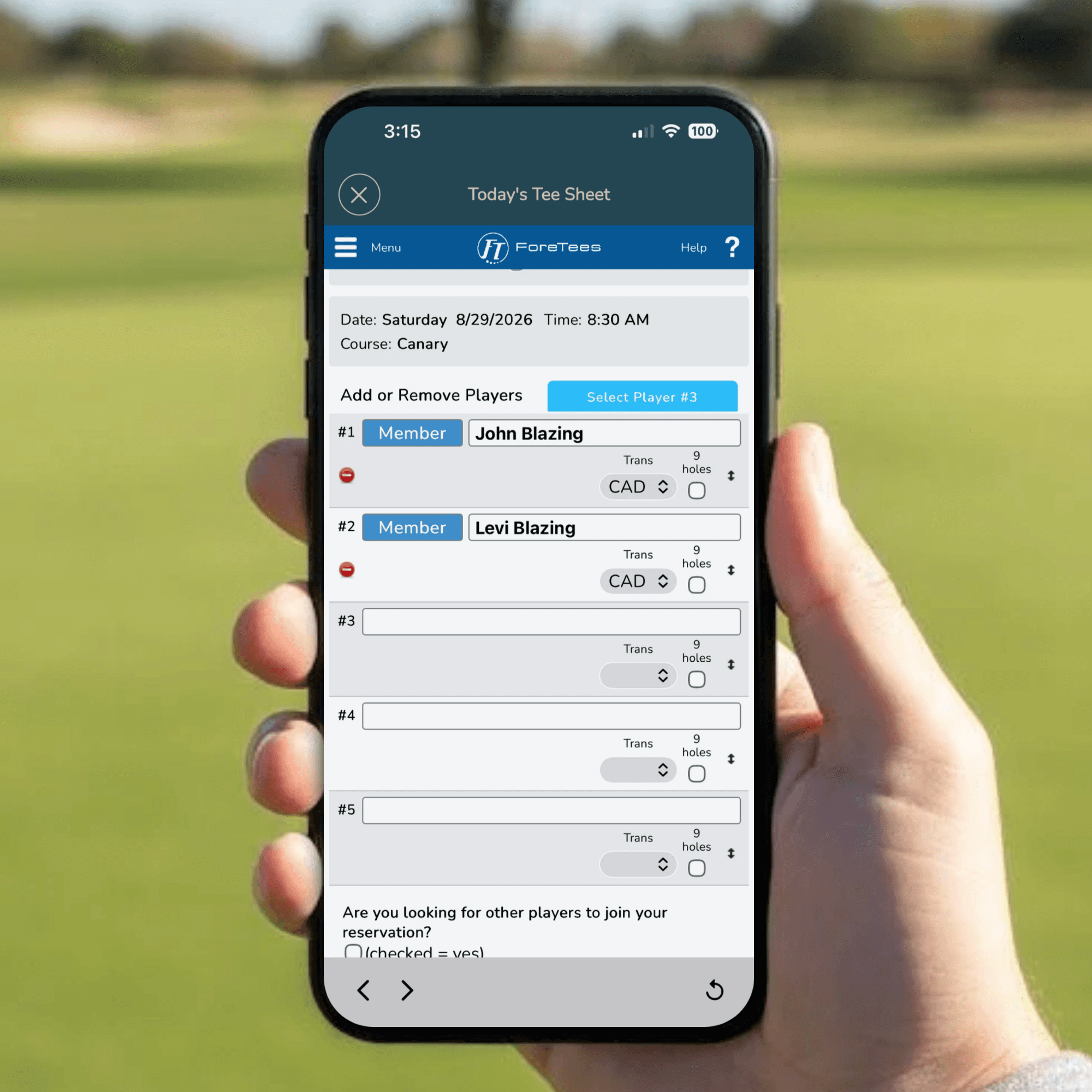
Note: Clubs can set multiple Caddie Types (e.g. ForeCaddie, A Caddie, B Caddie, etc.) for members to request their preferred level of service.
Caddie Manager -> Dashboard
Once the member clicks Submit Request, the Caddie Request instantly appears in Caddie Management, which is dynamically integrated with the online tee sheet for instant visibility.
Simplify Roster Management & Caddie Onboarding
Oversee Availability & Scheduling
Access Built-In Communication Tool
Integrate Your Caddie Agreements & Guidelines
Get A Helping Hand With Region Assignments
Only available for clubs on ForeCaddie in the same metro area.
Reporting That Works

Caddies -> ForeCaddie App
Once the Caddie Manager commits an assignment, the ForeCaddie App takes over on the caddie's end.
Caddies Set Their Own Availability & Schedule
Caddies set their own upcoming availability, in a window that ranges from one to six weeks out (club preference). They can even set two separate time blocks on the same day, say 7:00 a.m. to 11:00 a.m. and then 2:00 p.m. to 6:00 p.m., for caddies who may need to split their availability around other commitments.
Never Miss A Beat With The Lives News Feed
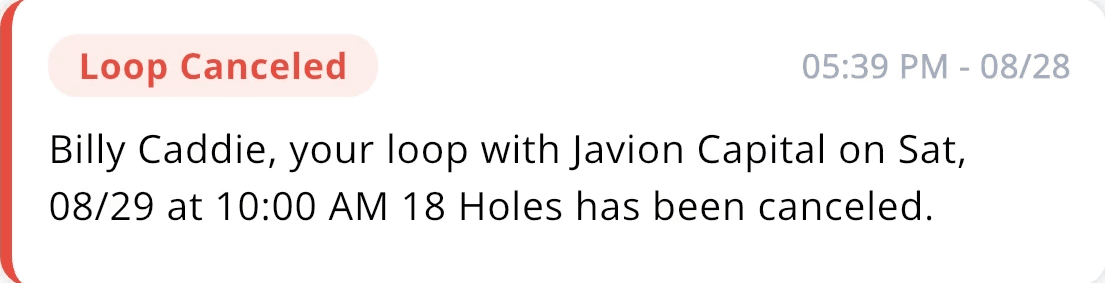
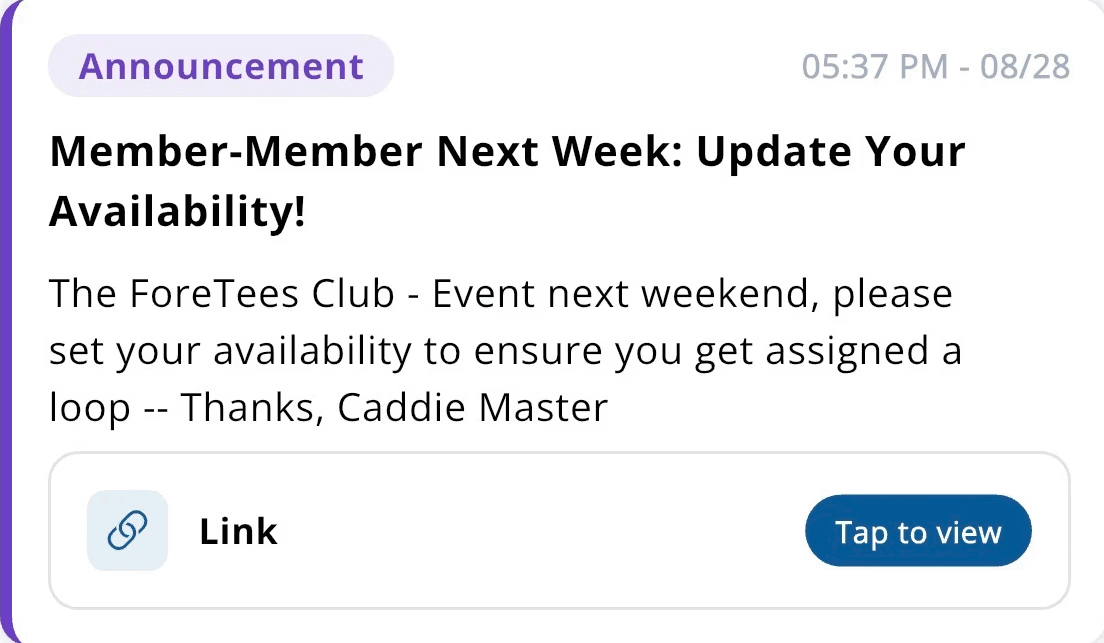
Keeps caddies updated as things happen: new loop assignments, assignment reminders, canceled loops, check-in reminders, availability reminders, and club announcements, all grouped in an easy to read format.


Complete Communication & Feedback Loop
If a loop is declined, the manager is notified right away, so a gap in coverage does not fall through the cracks. And for everything else, caddies have a direct line to message the Caddie Manager from the app, a nice-to-have that keep all communication in one spot. Every step of the way is communicated in real time.
Create Caddie Profiles & More!
The rest of a caddie's profile lives in one place too. From the app's More tab, caddies can edit their profile, add a caddie photo (new) so staff and members can put a face to a name before a loop even begins, look back at their loop history, and revisit the caddie guidelines and agreement anytime they need to.


“We are extremely pleased with the ForeCaddie platform as it allows our Caddie Management team and Golf Professional staff to easily manage daily assignments, quickly view roster availability, and communicate with one caddie or the entire roster with email and/or push notifications.
With over 125 caddies in our single-bag program, it is essential to deliver timely and clear communication. Onboarding is also a smooth process, allowing us to provide click-through confirmation of our Independent Contractor agreement as well as the Caddie Program overview.
And last, but definitely not least, the seamless integration with our ForeTees Tee Sheet has yielded us the ultimate convenience with split second tee sheet updates and modifications. "
Rob Anderson, PGA
General Manager
If your club runs a caddie program and hasn't fully set up ForeCaddie, or if it's been a while since your team looked at what's changed, it may be time to check in. From the moment a member requests a caddie to the moment that caddie's on the loop, it's all built to make the busiest stretch of your season easier to manage.
Fill out the form below to learn more!
About ForeTees
ForeTees is a premier club software provider offering an all-in-one, cloud-based platform developed with input from club professionals. Serving hundreds of private clubs, ForeTees empowers staff and members with intuitive tools for Golf Management, Reservations, Point of Sale, CRM, Accounting, Mobile Apps, and More.


Stay up to date with all-things ForeTees with our monthly e-newsletter.